Reservations, Walk-ins, and Arrivals
Choose the correct starting point
- New Reservation: the guest books before arrival.
- Walkin: the guest arrives without an existing reservation.
- Group Reservations: several rooms belong to one organized booking.
- Channel Reservations: bookings received from an approved online channel.
- Booking & Events: a venue or event booking rather than a room stay.
Search the Reservation List and Guests before creating anything. This prevents duplicate reservations and duplicate guest profiles.
Create a reservation
- Select New Reservation.
- Enter the check-in and check-out dates, adults, children, and package.
- Select the company and business source when applicable.
- Choose the room type, floor, and available room.
- Select the rate type and enter the approved nightly rate.
- Select the guest's travel purpose.
- Use Existing Guest when the guest already has a profile. Otherwise enter the guest's name, birth date, gender, identification, phone, email, country, city, and other available address details.
- Recheck dates, room, guest, package, rate, and contact details.
- Select Reserve once.
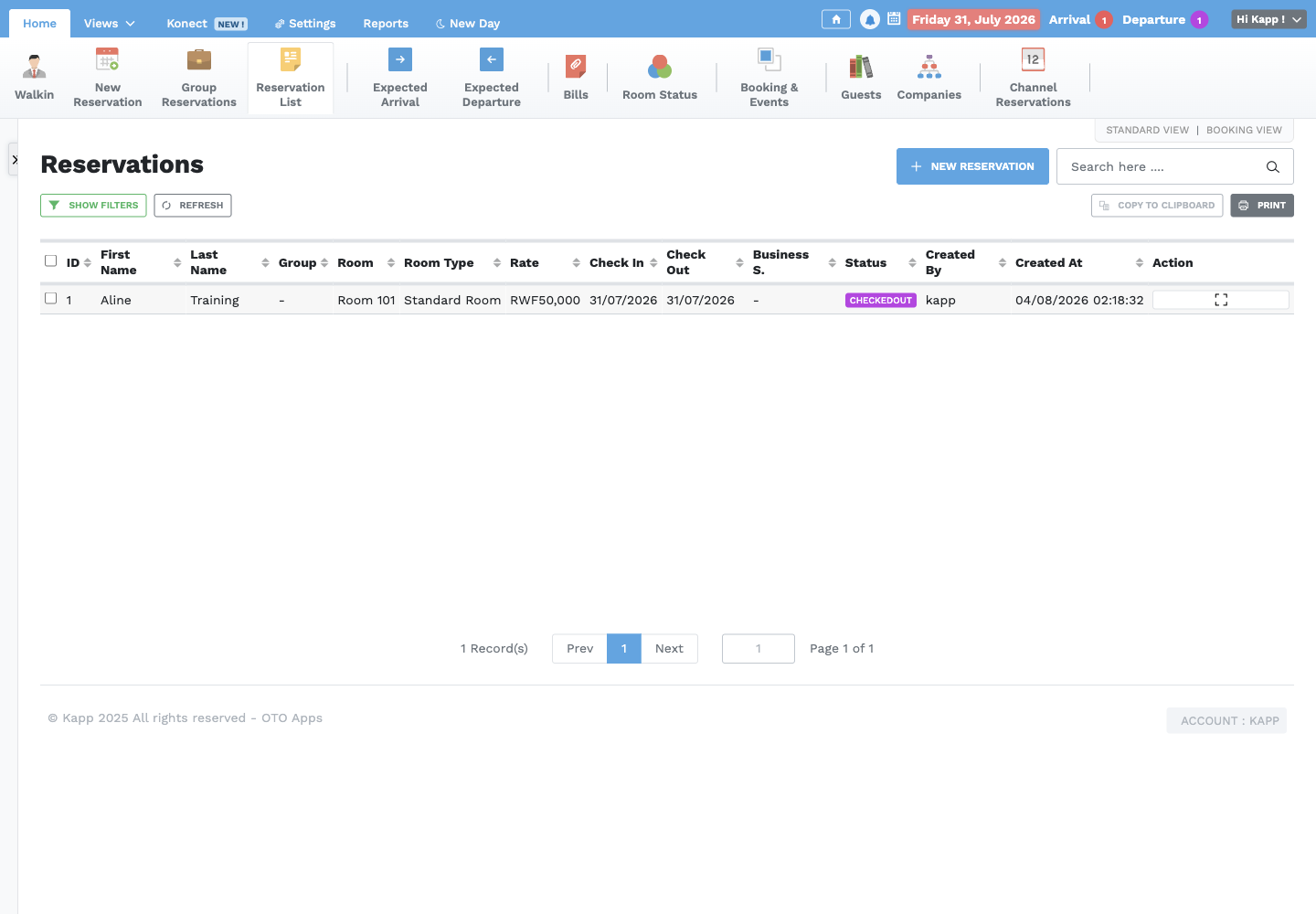
- Confirm the new entry in Reservation List with status Pending.
The checkout date is the departure date. Count nights from check-in up to, but not including, checkout.
Process a walk-in
- Select Walkin.
- Confirm that no matching reservation already exists.
- Complete the stay, room, rate, and guest details as for a reservation.
- Confirm the selected room is vacant and ready.
- Select Check In once.
- Confirm the stay is In-House and the room is Occupied.
Expected arrivals
Use Expected Arrival to prepare for guests due on the selected business date. Before check-in, confirm:
- Guest identity and contact information
- Arrival and departure dates
- Room assignment and readiness
- Adults, children, and additional guests
- Rate, package, company, and business source
- Deposit or payment arrangement
- Requests, comments, and handover notes
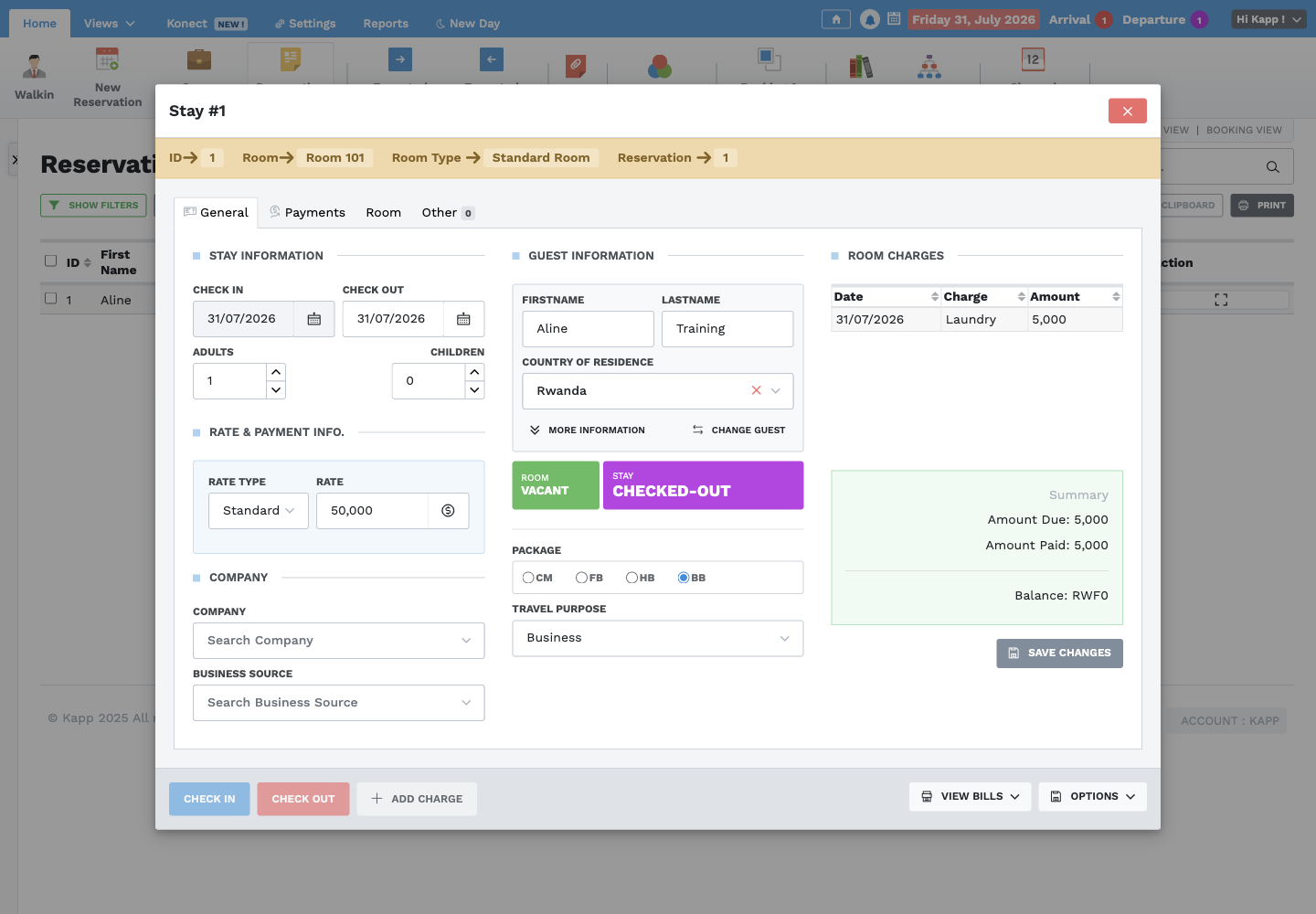
Open the stay, make authorized corrections, save, and then select Check In. Confirm the check-in prompt only when the guest has actually arrived.
Group reservations
Create a group only when the rooms share a genuine group booking. Record the group name, dates, room requirements, rate information, contact details, and notes. Review every room and guest assignment before arrival. Changes to one guest must not silently change unrelated group members.
Cancel a reservation
Open the pending reservation and use Options → Cancel only when the booking is genuinely cancelled and policy authorizes the action. Confirm the guest, dates, room, and cancellation terms first. Record the reason through the property's approved handover or cancellation process, then verify that the room is available for the affected dates.
Do not delete a reservation simply to hide a mistake. Escalate deletions and financial corrections to a Supervisor.